How to Permanently Delete Hidden EXIF GPS Data from iPhone Photos
You just snapped an adorable picture of your dog sitting on your living room couch using your iPhone. You instantly upload it to a public forum or send it to an online marketplace buyer. It seems completely harmless.
You have absolutely no idea that you just handed a complete stranger your exact global coordinates.
Modern smartphones are phenomenally powerful tracking devices. By default, your iPhone silently injects severe privacy liabilities into every single photograph you capture. Before you share another personal image online, you must understand how this invisible data works and exactly how to permanently delete hidden EXIF GPS data from iPhone photos offline.
The Invisible Threat Within Your Photo Library
The moment you tap the shutter button, your iPhone does not just record visual colors and light. The internal software architecture physically embeds a massive, invisible text document deeply into the structural header of your image file.
This tracking protocol is known as EXIF (Exchangeable Image File Format) data. While it innocently logs the model of your camera and the lighting settings, it also acts as a geopolitical broadcasting beacon.
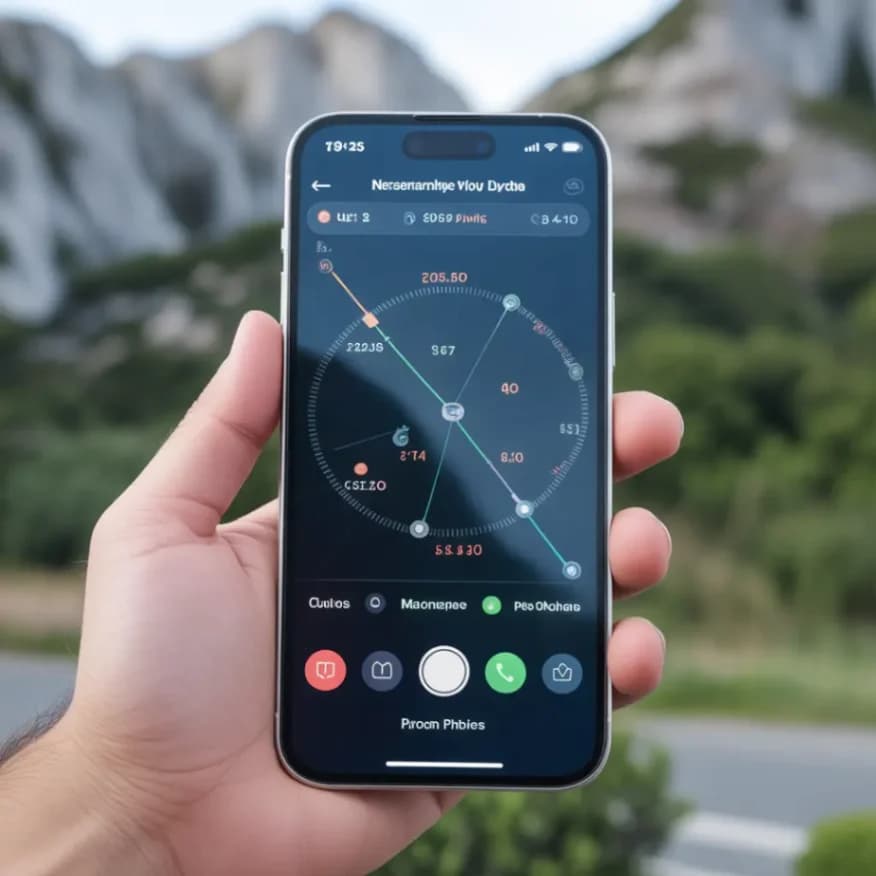
If your phone's location services are enabled, the image file is permanently branded with your exact latitude, longitude, and elevation at the exact millisecond the photo was taken. Anyone who downloads your original, uncompressed photo can simply right-click the file and immediately view a roadmap directly to your physical living room.
Why Native Apple Privacy Toggles Fail
Apple has publicly attempted to address this massive privacy flaw, but their native solutions are frustratingly incomplete.
If you navigate deep into your iOS settings, you can completely disable the camera's location tracking access. However, that prevents your own iPhone's photo gallery from intelligently sorting your vacation photos into convenient geographical albums, ruining a beloved organizational feature.
Alternatively, iOS allows you to temporarily toggle off location data when sharing a photo directly from the native Photos app. Unfortunately, this toggle only works for specific native sharing actions. If you drag the file to your computer, email the raw image, or upload it to an unverified web form, the massive GPS payload goes right along with it.
The Absolute Madness of Cloud Cleansing
Realizing their photos are heavily contaminated with tracking beacons, users frequently turn to the internet and search for a "location remover." This usually leads them to free cloud-based utility websites.
This creates a terrifying, paradoxical security disaster. You are actively trying to protect the GPS coordinates of your personal residence or corporate office. To remove this data using a traditional cloud service, you are forced to transmit your highly sensitive location history across the open internet to a completely unverified third-party server.
You are actively handing your exact geographic location data to a server simply to delete it. Standard cloud utilities are a massive failure in logical security protocol.
Mathematical Sanitization Entirely Offline
To ensure your physical and digital location remains mathematically uncompromised, you must scrub the image structure directly on your local hardware. The file must absolutely never be uploaded to an external server footprint.
At NoMoreUploads, we explicitly built our Sanitize Image terminal to solve this exact vulnerability. By aggressively utilizing WebAssembly (WASM), we completely bypassed the cloud. Our application logic downloads directly into your local browser's isolated memory sandbox.
When you drag your contaminated iPhone photograph into our interface, your local CPU performs the deep architectural scrubbing. Because you completely bypass the network, the risk of your EXIF data being intercepted drops to absolute zero.
3 Steps to Instantly Guarantee Your Privacy
Protecting your physical home address takes a few seconds before you post:
- Navigate to our secure Sanitize Image tool securely inside your web browser.
- Drag and drop your original, heavy iPhone photo into the drop zone. Because our platform is 100% localized, the file loads into the processor instantaneously.
- Our algorithmic engine mathematically locates the hidden EXIF headers, violently destroys the GPS tracking arrays, and exports a flawlessly pristine, metadata-free image.
Click to save the newly sanitized image. You can now post this photograph to global forums, corporate chats, or marketplace listings with absolute, mathematical certainty that your geographic privacy is secured.
Frequently Asked Questions
Does a standard screenshot also contain hidden GPS data? No. Taking a native screenshot generates a completely new digital file structure that only records the timestamp. However, screenshots severely downgrade the visual quality of the image. Standard local EXIF sanitization preserves pristine colors while deleting the location.
Do popular social media apps automatically scrub this data? Yes, massive platforms like Facebook and Instagram aggressively strip EXIF data to minimize server storage costs. However, SMS texts, private email clients, uncompressed forums, and bespoke corporate software rarely strip metadata, creating enormous vulnerability gaps.
Does removing location from iphone photo formats degrade the visual? Absolutely not. Real EXIF sanitization exclusively targets the hidden structural text strings in the image header. The underlying pixel structures, color saturation, and dynamic resolution remain 100% completely untouched.
Why shouldn't I use an online EXIF remover tool? Because you must physically upload your photo to their server first. You are explicitly handing your sensitive geographic location coordinates to an unknown third-party entity over an internet connection, entirely defeating the purpose of privacy.
Stop Broadcasting Your Location Now
Do not wait for a catastrophic privacy leak to realize your device is constantly tracking you. Eradicate your hidden metadata and ensure your total physical safety exactly when you need to. Safely purge your files natively by utilizing our incredibly fast, 100% offline Local Image Sanitizer immediately.