How to Split a Massive 1GB PDF File in Your Browser
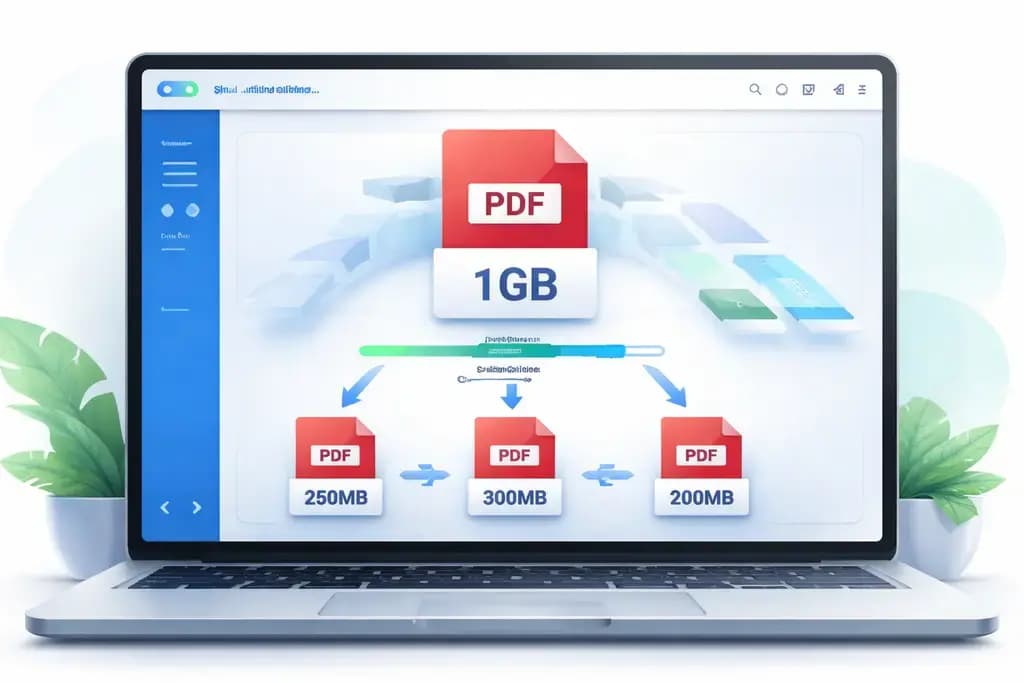
You have a massive, unoptimized architectural planning document or a scanned legal discovery packet that weighs in at a staggering 1.2 Gigabytes. You need a specific five-page section from Chapter 3 to email to a contractor right now.
It seems like a straightforward request. But when dealing with massive file sizes, modern web tools suddenly collapse. You try to upload it to a popular online PDF splitter, only to hit a rigid "Maximum 50MB File Size" error wall. You try to extract the pages using built-in operating system tools, only to watch your computer violently lock up and crash.
When your file size crosses into the gigabyte range, traditional workflows immediately break. In this guide, you will learn exactly how to split a massive pdf file seamlessly, why cloud servers artificially restrict your work, and the cutting-edge trick to extract pages instantly without relying on the internet.
The Agonizing Upload Limit Wall
To understand why working with massive files is uniquely frustrating, you have to look at the business model of popular web utilities. Traditional websites rely heavily on remote server processing. When you ask them to extract pdf pages easily, your browser initiates a massive network upload to their central servers.
Hosting companies charge these utility websites based on total bandwidth consumed and server processing time. If millions of users uploaded massive 1GB files every single day, the website's infrastructure bills would bankrupt them instantly.
To protect their profit margins, they enforce aggressive, artificial upload caps. The moment they detect a file over 50MB or 100MB, they instantly deny the request and aggressively push you toward a paid monthly premium "Pro" subscription.
The Nightmare of Network Transmissions
Even if you managed to bypass the artificial limits on a traditional platform, you still face the physical limitations of your internet connection.
Transmitting a full 1GB file over a standard home Wi-Fi or cellular network takes a frustratingly long time. You are forced to sit and stare at a loading bar for fifteen minutes, completely paralyzed, just waiting for the file transfer to begin.
Furthermore, transferring heavy, proprietary company data across the open internet to a distant server introduces unacceptable security vulnerabilities. Your massive document is exposed to potential network interception and third-party data retention policies. You are sacrificing your file security entirely for the sake of utility.
The WebAssembly Local Processing Revolution
The only efficient way to split large pdf offline without purchasing expensive Adobe software is by leveraging your computer's own processing power. The modern web has evolved past the need for cloud uploads, utilizing a technology known as WebAssembly (WASM).
At NoMoreUploads, we explicitly engineered our tools to operate precisely in this dynamic environment. Instead of requiring you to upload your 1GB file to our servers, we download our highly optimized PDF rendering engine directly to your web browser.
Once your browser loads the page, your local CPU takes complete control. Because you skip the upload phase, there are absolutely zero artificial file size limits. The only restriction placed on your workflow is the physical amount of RAM inside your specific computer hardware.
3 Steps to Extract Sections From Huge Files
Ripping pages from massive, unwieldy documents takes only a few seconds when utilizing local power:
- Open your web browser and navigate to our specialized offline PDF tools.
- Drag and drop your massive gigabyte-level file directly from your local drive into the interface. Because there is no upload, the file is ready to manipulate instantly.
- Select the exact page range or specific images you want isolated. Your local CPU mathematically copies the requested data arrays, creating a new, lightweight file instantly.
By eliminating the cloud from the equation, you completely remove upload wait times, subscription pressure, and corporate data leaks in entirely one stroke.
Maintain Control Over Enterprise Documents
Whether you are a lawyer parsing through heavy litigation packets, an architect manipulating uncompressed structural diagrams, or an archivist dealing with highly detailed scanned records, your workflow demands power and privacy.
Once you cleanly split the file, you can effortlessly transition the new, lightweight document into our Compress PDF utility to strip out redundant data formatting, or utilize our Sanitize PDF tool to guarantee all hidden metadata is permanently purged before external transmission.
Frequently Asked Questions
Why do most online tools refuse to split massive PDFs? Cloud-based websites require you to upload your file to their servers. To save money on their massive server hosting costs and network bandwidth, they aggressively lock high file size limits behind premium paywalls.
Is it safe to split a 1GB file using a cloud platform? No. Aside from taking extremely long to upload, transmitting heavy, confidential data to third-party servers breaks your internal compliance protocols and opens your company up to devastating data breaches if their temporary storage holds are compromised.
How does local browser processing handle massive files? By using WebAssembly, the website downloads a processing engine to your browser. Rather than uploading the file to the internet, your browser borrows your computer's local CPU to execute the task. It bypasses upload limits because it operates entirely on your physical hard drive locally.
What happens to my document after it is processed? If you use a 100% offline tool like NoMoreUploads, the document never leaves your machine. Your private data is never transmitted across a network, ensuring absolute and mathematically guaranteed privacy.
Conquer Massive Files Now
Stop letting artificial online blockades stall your professional workflow. Experience the immediate, uncompromising power of a fully localized WebAssembly engine right inside your web browser. Safely rip and extract what you need, entirely offline, using our Extract PDF Images utility right now.