How to Convert Word to PDF Securely Online
How to Convert Word to PDF Securely Online: The Ultimate Privacy Guide
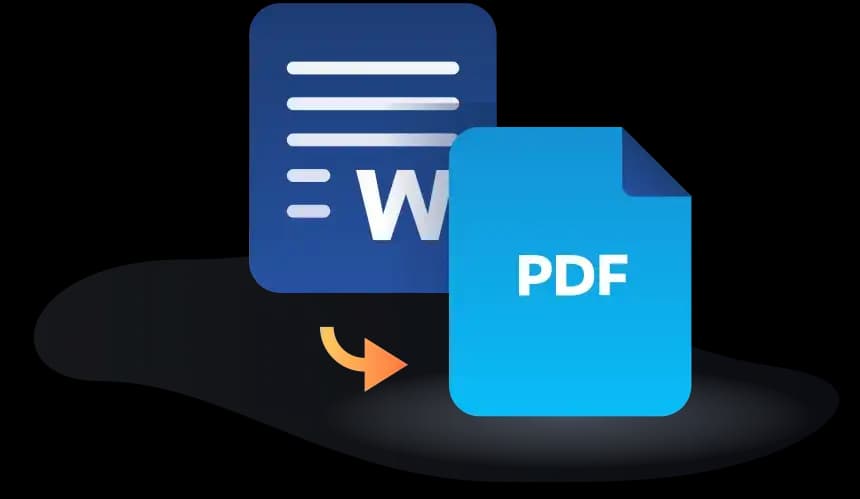
Every business day, millions of people type "Word to PDF converter" into a search engine. The reason is simple: Microsoft Word makes it incredibly easy to create and edit documents, but Word files (.doc, .docx) are notoriously unpredictable when shared. A resume that looks immaculate on your Windows PC might have completely broken formatting when opened on a Mac or a mobile device. To solve this, you must learn how to convert Word to PDF securely online to lock down your layout before you hit send.
However, this daily routine hides a massive data security flaw. In this guide, we will explore why you must convert your documents, the hidden dangers of free online converters, and how NoMoreUploads provides the most secure, local-first method to transform your files.
Why Convert Word Documents to PDF?
There are three primary reasons why sending an unlocked Word document is a terrible professional practice:
1. "What You See Is What They Get" (WYSIWYG)
Word files rely heavily on the fonts installed on the reader's local machine. If you use a custom corporate font—or even a slightly modern system font—and the recipient doesn't have it, Word will substitute it with something generic like Courier or Arial. This completely destroys your line breaks, page counts, and overall aesthetic. Using a tool to convert Word to PDF securely online "flattens" the file, ensuring the fonts and graphics render perfectly regardless of the device used to view it.
2. Preventing Unwanted Edits
If you email a finalized vendor contract or an official quote in .docx format, the recipient can edit the terms, change prices, or alter clauses with a single click. While "Track Changes" exists, it is easily disabled. Converting the file to a static PDF is the digital equivalent of sending a signed physical document; it establishes a finalized, non-negotiable draft.
3. Professional Presentation
Sending a .docx file often looks amateurish, particularly for resumes, cover letters, and pitch decks. It suggests a lack of finality. A PDF looks polished, ready for printing, and signals that the document is complete.
The Hidden Dangers of Free Cloud Converters
If you search for how to convert Word to PDF securely online, you will likely end up on a site that asks you to "Upload File Here." But stop and consider what you are uploading. Is it a lease agreement containing social security numbers? A business acquisition proposal? An unreleased quarterly earnings report?
When you use a cloud-based converter, you are literally transmitting your most sensitive data to an unknown third-party server. Even if the site claims to delete files "within 24 hours," your data is still sitting on a public server, susceptible to breaches, malicious interception, or changing privacy policies.
The NoMoreUploads Solution: Local-First Security
You shouldn't have to sacrifice security for the convenience of an online tool. NoMoreUploads utilizes groundbreaking WebAssembly (WASM) technology to run a full document rendering engine directly within your web browser.
When you use our tool to convert Word to PDF securely online, your .docx file is processed by your own computer's CPU. The raw data never leaves your device. It is mathematically impossible for us (or a hacker) to intercept your document because the data transfer to an external server never happens.
Step-by-Step Guide: How to Convert Word to PDF Securely Online
Locking down your document with absolute privacy takes only seconds:
- Finalize Your Document: Complete all spell-checking and formatting inside Microsoft Word or Google Docs and save the final .docx file.
- Open the Secure Converter: Navigate to the Word to PDF tool on the NoMoreUploads platform.
- Load the File Locally: Drag and drop your .docx file into the browser. Remember, because there is no upload, the file is instantly ready to process, regardless of your internet speed.
- Convert Instantly: Click the convert button. Our local engine translates the complex Word formatting tags, images, and tables into precise, vector-based PDF elements.
- Download Your Final PDF: In milliseconds, your polished, locked PDF is generated and saved directly to your downloads folder.
Conclusion
Sending unprotected Word files is a recipe for broken formatting and unauthorized edits. However, using public cloud converters to fix the problem introduces an even bigger data privacy risk. By understanding how to convert Word to PDF securely online using local-first processing, you protect both the visual integrity of your document and the absolute privacy of the text within it.
Stop trusting unknown servers with your confidential contracts and resumes. Try the NoMoreUploads secure Word to PDF converter today and experience true document peace of mind.