How to Merge PDF Files Online Without Uploading
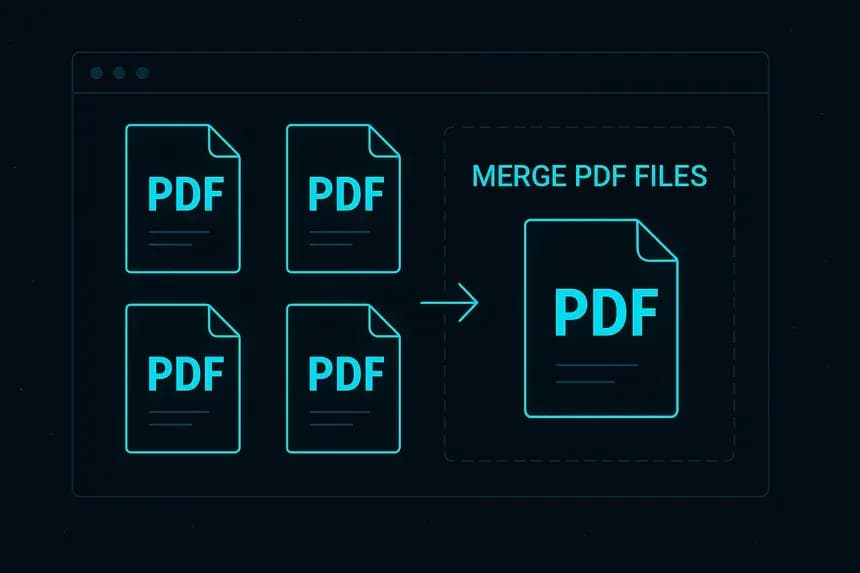
How to Merge PDF Files Online Without Uploading: The Secure Guide
In today's digital age, we constantly handle PDF documents. Whether it is combining monthly invoices for your accountant, merging disparate chapters of a master's thesis, or organizing signed contracts into a single client portfolio, consolidating files is a daily chore. The most common solution is to search for "merge PDF files online," but this seemingly innocent search often comes with a significant, hidden prerequisite: you have to send your sensitive files to an unknown server. For businesses, legal professionals, and privacy-conscious individuals, this represents a major security vulnerability.
Fortunately, web technology has evolved. It is now entirely possible to merge PDF files online without uploading them to the cloud. By processing your documents locally within your browser, you get the frictionless convenience of an online tool combined with the absolute security of offline desktop software. In this extensive guide, we will explore the risks of cloud merging, how local processing works, and how you can combine your files instantly and securely.
The Security Risks of Cloud-Based PDF Mergers
If you use a standard, top-ranked free PDF merger found on Google, you are almost certainly using a cloud-based service. Here is what happens behind the scenes:
1. The Data Interception Risk
The moment you click "Upload," your files—perhaps containing social security numbers, bank details, or proprietary code—travel across the public internet. While HTTPS encryption makes interception difficult, it is not impossible. Your data is momentarily exposed in transit.
2. The Third-Party Storage Problem
Once the files reach the server, they are saved on a hard drive you do not control. The server runs a script (usually Ghostscript or a similar library) to stitch the PDFs together, saves the new merged file, and provides a download link. Even if the service promises to "delete your files in 2 hours," your highly confidential data was still stored externally. If that server is hacked during that two-hour window, your data is compromised.
3. Hidden Terms of Service
Many "free" tools are free because they monetize the data passing through them. Buried in their Terms of Service might be clauses allowing them to scan your documents for marketing keywords or to train AI models. You simply cannot know for certain what happens to your data after it is uploaded.
What Is the NoMoreUploads PDF Merger?
The NoMoreUploads PDF Merger was built from the ground up to solve this massive security flaw. It is a specialized, modern web tool designed to merge PDF files online without uploading them.
How is this possible? We utilize WebAssembly (WASM) to load a powerful PDF manipulation engine directly into your web browser's local memory. When you select your files, the NoMoreUploads tool does not send them to our servers. Instead, your own computer's CPU runs the merging instructions directly on the local files.
This "client-side" or "local-first" approach means your files never leave your device. The process is sandboxed within your browser. The moment you close the tab, all traces of the files are gone from the browser's temporary memory. It is unequivocally the safest way to manage confidential documents online.
Step-by-Step Guide: How to Merge PDF Files Online Securely
Merging your files locally isn't just safer; it is vastly faster because you don't have to wait for upload or download progress bars. Here is how to use the tool:
- Open the Secure Tool: Navigate to the Merge PDF page on the NoMoreUploads platform using Chrome, Safari, Edge, or Firefox.
- Select Your Files: Click the "Select Files" button or drag and drop your PDFs into the designated area. Notice that the files appear immediately—there is zero upload time. You can select two files or fifty.
- Arrange the Sequence: Once loaded, the interface will display thumbnail previews of your documents. Simply drag and drop these cards to rearrange the order in which they should appear in the final merged document.
- Execute the Merge: Hit the "Merge PDF" button. The WASM engine will instantly process the files, writing a brand new PDF structure in milliseconds without ever touching a server.
- Save Locally: Your finalized, combined PDF is compiled and saved directly to your local downloads folder.
The Speed and Scale Benefits of Local Merging
Beyond privacy, choosing a client-side merger offers massive logistical advantages over traditional cloud alternatives:
- Lightning Speed: Have you ever tried to merge five 100MB blueprints using a cloud tool? The upload alone could take 20 minutes, followed by a slow download. Local merging processes gigabytes of data in seconds because it never traverses the internet.
- No File Size Limits: Cloud tools must impose limits (often 50MB or 100MB) because server bandwidth is expensive. Because we use your computer to do the work, you aren't restricted. You can merge massive, high-resolution files as long as your device has adequate RAM.
- Works Offline: Once the NoMoreUploads site is initially loaded in your browser, you can physically disconnect from the internet and the merger will still function perfectly.
Conclusion
Managing your documents shouldn't require surrendering your privacy. By adopting a modern tool that processes data locally, you can merge PDF files online without uploading them, ensuring your sensitive information stays firmly in your custody. Stop risking your data on slow, unsecure cloud servers. Experience the blistering speed and absolute privacy of client-side processing today with the free NoMoreUploads PDF Merger.