How to Split Large PDF Files Easily
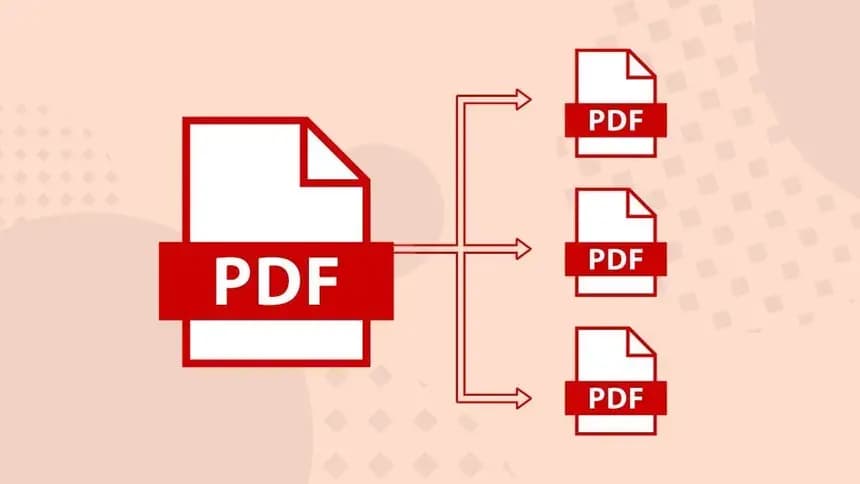
How to Split Large PDF Files Easily: The Instant, Local Solution
We've all encountered the dreaded "monster PDF." Perhaps it is a 500-page corporate annual report where you only need the specific three pages covering your department's financials. Or maybe it is a comprehensive 2GB architectural master plan, and you only need to send the contractor the single page showing the plumbing schematic. Trying to upload these massive files to a standard online tool just to extract a few pages is an exercise in utter frustration. The upload is painfully slow, prone to network errors, and almost always results in a "file size limit exceeded" error message. Knowing how to split large PDF files easily without these bottlenecks is crucial for professional productivity.
In this guide, we will explore why traditional splitting tools fall short for large documents, the mechanics of PDF extraction, and how our local-first browser tool changes the game entirely by processing massive files instantaneously.
The Fatal Flaw of Traditional PDF Splitters
The vast majority of free online PDF splitters operate on a cloud-based architecture. This means your computer is just a dumb terminal sending data to a remote server. When dealing with a 200MB legal bundle, the problems are immediate:
1. The Bandwidth Bottleneck
Uploading a 200MB file on a standard office internet connection takes significant time. If your connection drops for even a second during minute five of the upload, the entire process fails, and you have to start over from scratch.
2. The Arbitrary Size Limits
Because processing 200MB files requires expensive server CPU and bandwidth, 99% of free tools impose strict constraints. You will typically hit a hard wall at 20MB or 50MB. If your file is larger, they will demand you pay for a premium subscription.
3. The Unnecessary Data Transfer
Why should you have to send 500 pages of data over the internet if you only want to extract page 12? It is incredibly inefficient and exposes the entire master document to potential security risks on the remote server.
The NoMoreUploads Solution: Zero-Upload Extraction
We realized the only way to genuinely learn how to split large PDF files easily was to stop uploading them entirely. By harnessing WebAssembly (WASM), NoMoreUploads brings the server to you. Our splitting engine runs natively within your web browser (Chrome, Safari, Edge, etc.).
When you drag a 2GB document into our tool, it doesn't upload. The browser simply reads the file locally from your hard drive into its secure, temporary memory. There are no progress bars, no network failures, and absolutely no artificial file size limits. The only limitation is the amount of RAM installed on your local computer.
Step-by-Step: How to Extract Pages from Massive PDFs
Slicing up a giant document is now a visual, instant process. Here is how to do it efficiently:
- Open the Local Splitter: Navigate to the Split PDF tool on the NoMoreUploads website.
- Drop Your Huge File: Drag and drop your massive document into the interface. Watch as it loads almost instantly, ignoring the file size.
- Visual Page Selection: Instead of blindly typing page numbers into a confusing range box, our tool generates visual thumbnails of every page. You can visually verify the content before extracting.
- Select Your Extraction Method:
- Single Pages: Click specific thumbnails (e.g., click page 5 and page 12).
- Range Extraction: Define a range visually or by typing (e.g., extract everything from page 50 to 100 as one new file).
- Extract All: A single click option to burst a 50-page PDF into 50 individual, single-page PDF files.
- Split and Save: Click the split button. The WASM engine generates the new, smaller PDF immediately, saving it directly to your local downloads folder.
Real-World Scenarios for Heavy-Duty Splitting
- Architects & Engineers: Extracting specific floor plan blueprints (which are often massive, high-DPI vector files) from a comprehensive project master file to email to specific subcontractors.
- HR and Accounting Teams: Separating a single, massive PDF containing a year's worth of scanned bulk invoices into distinct monthly or individual vendor files for auditing.
- Educators and Students: Breaking a legally purchased, large digital textbook (often hundreds of megabytes) into smaller, single-chapter files for easier reading and annotation on a tablet or e-reader.
Conclusion
You shouldn't have to watch an agonizing upload progress bar just to extract two pages from a report. By understanding the technology and knowing how to split large PDF files easily using local-first browser tools, you eliminate artificial limits and network dependencies.
Stop fighting with slow, restrictive cloud converters. Take control of your massive documents instantly and securely by trying the free NoMoreUploads PDF Splitter today.