How Lawyers Sanitize PDF Metadata Before Court Submission
You are preparing a massive digital discovery packet for opposing counsel. You meticulously review every single page, carefully apply hundreds of black redaction boxes over confidential client information, and export the final file. You assume your client's data is perfectly secure.
You are entirely wrong. By simply emailing that digital file to the opposing legal team, you may have just handed them your entire playbook.
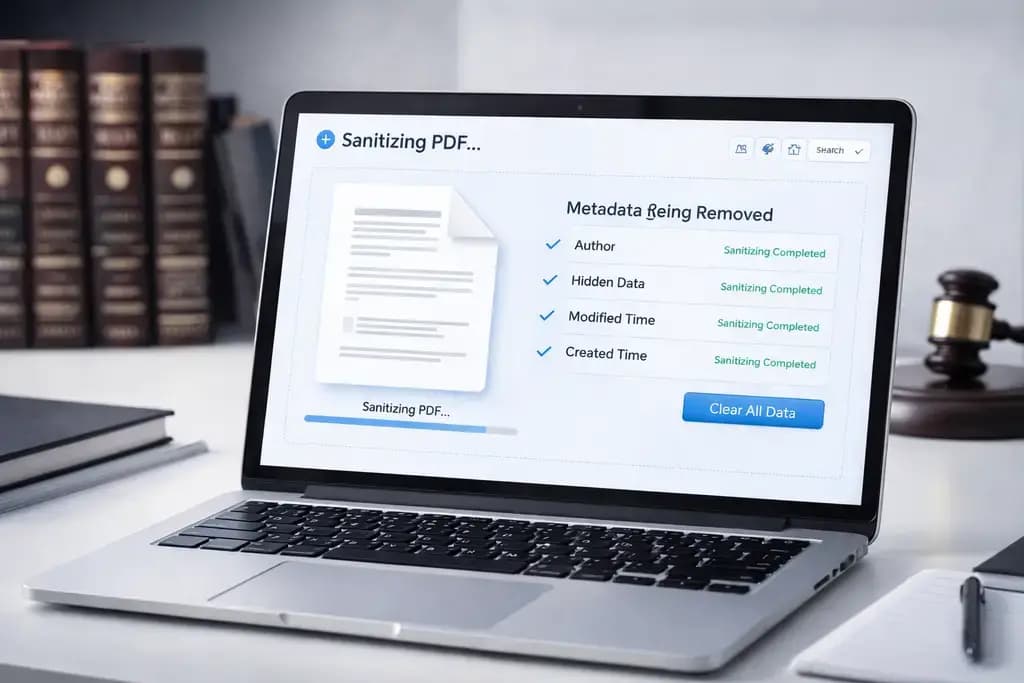
Hidden beneath the visible text of every modern PDF lies a terrifying amount of invisible structural intelligence. If you do not learn how to properly sanitize PDF metadata, you risk exposing confidential notes, previous document revisions, and exact timestamps to opposing counsel. In this breakdown, you will learn why native software fails to clean legal files, what metadata reveals, and how elite law firms completely scrub their discovery packets offline.
The Invisible Threat in Legal Discovery
Whenever a paralegal or attorney creates, edits, or even opens a PDF document, the software automatically generates hidden code strings within the file architecture. This is known as metadata.
Originally designed to help users organize their local hard drives, this hidden data acts as a permanent digital fingerprint. A standard, unscrubbed legal PDF frequently contains the exact date the file was generated, the physical location of the computer that created it, and the full names of the specific authors who contributed to the document.
Worse yet, if your team utilizes track changes or digital comment boxes, remnants of those "deleted" internal strategy discussions often remain deeply coded into the file's XML structure. Opposing counsel does not need to be elite hackers to access this. Simply analyzing the file using basic forensic software reveals everything.
Why Visual Redaction is Insufficient
The single most common mistake legal teams make is relying entirely on visual redaction. Drawing a black box over a client's social security number or a proprietary corporate settlement figure using standard PDF editors is legally catastrophic.
Visual masking simply places a dark graphic layer on top of the original text stream. The underlying numbers and letters remain completely intact within the document's code.
When you export a visually masked document without sanitizing it, opposing counsel can simply run an Optical Character Recognition (OCR) scan over the file. Within seconds, the software bypasses the black boxes and extracts the raw text underneath, compromising your client instantly. You must completely strip the code structure before submission.
The Severe Liability of Cloud Cleaning Tools
Realizing their files are contaminated with metadata, many small law firms search the internet for a "free metadata scrubber." This initiates a massive, undeniable breach of legal ethics and client confidentiality.
To use a traditional cloud-based web utility, your browser must transmit the unencrypted, highly confidential discovery packet across the open internet. The document lands on a server owned by an entirely unknown entity.
Uploading a client's protected intellectual property or sealed court documents to an unverified third-party server breaks the fundamental attorney-client privilege chain. You are actively trying to protect data by handing that exact data to an unverified tech company. That is entirely unjustifiable in modern legal practice.
How to Scrub Legal Files 100% Offline
You must utilize software that mathematically purges the metadata without ever transmitting the file across a network. Due to the rapid advancement of WebAssembly technology, you no longer need to purchase expensive, clunky desktop installations to achieve this.
Our browser-based Sanitize PDF tool was engineered exactly for strict legal compliance. Utilizing client-side processing, our entire sanitization engine downloads directly into your web browser's isolated local sandbox.
When you drag your discovery packet into the interface, your own computer's local CPU processes the file. The document literally never leaves your hard drive.
3 Steps to Ensure Perfect Document Hygiene
Protecting your firm from devastating metadata leaks takes less than ten seconds:
- Open our Sanitize PDF tool using your secure office web browser.
- Load the finalized legal discovery document locally into the drop zone.
- Your local processor instantly parses the file hierarchy, permanently destroying all EXIF markers, XMP metadata tags, and hidden XML comment structures.
Because the processing happens in your device's RAM, there are zero network uploads. You instantly download a perfectly pristine, mathematically cleansed document ready for secure email transfer.
Frequently Asked Questions
Does sanitizing a PDF delete my visible text? Absolutely not. Sanitization exclusively targets the hidden structural code and background XML metadata built into the file headers. Your visible text, actual formatting, and graphical layout remain 100% untouched and perfectly legible.
Can opposing counsel recover scrubbed PDF metadata? No. Once the XML data paths and internal tags are mathematically removed from the file's document architecture using a true sanitization protocol, the data ceases to exist entirely. It is irreversibly destroyed.
Is a local browser tool compliant with strict legal security? Yes. Because WebAssembly tools do not upload files to remote servers, your private client data is never transmitted outside your firm's internal firewall. This strictly adheres to legal confidentiality requirements and totally bypasses cloud security risks.
Should I sanitize files before or after password protecting them? You absolutely must sanitize the file before encrypting it. If you lock a file containing metadata, that tracking data is permanently locked inside the encryption shell. Sanitize the document first, then apply your password protection.
Protect Your Client's Confidentiality Now
Do not let a hidden string of code sabotage months of meticulous litigation strategy. Stop uploading confidential sealed documents to dangerous third-party cloud servers. Take absolute control over your digital submissions by utilizing our impenetrable, radically fast, and zero-upload Local PDF Sanitizer prior to your very next case filing.