How to Merge Scanned Document Photos Into a Single PDF
You just returned from a massive week-long business trip. Staring at your desk, you face a terrifying pile of crumbled dinner receipts, taxi invoices, and handwritten conference notes. You grab your smartphone, snap a dozen separate photos of the documents, and prepare to submit your expense report.
Now, you are stuck with twenty massive, unorganized JPEG files eating up space on your phone. If you attempt to attach twenty individual photos to an email, your accounting department will immediately reject it, or your email provider will block the message entirely due to attachment size limits.
You need to consolidate this chaotic visual data into a single, highly professional document. In this guide, you will learn exactly how to merge scanned document photos into a single PDF, why sending massive JPEGs is a workflow nightmare, and how to convert everything instantly without uploading sensitive financials to the web.
The Chaos of Managing Uncompressed JPGs
Every modern smartphone is equipped with a phenomenally powerful camera lens. While this is incredible for taking vacation portraits, it is an absolute disaster for simple document scanning.
When you snap a picture of a coffee receipt with an iPhone or Android device, the phone generates a massive, high-definition, multi-megabyte image file. That single file contains enough pixel data to print a poster, which is extreme overkill for black-and-white text.
Attempting to organize dozens of these heavy image files is impossible. They lack consistent pagination, they cannot be searched textually, and they bloat your local hard drive. To create an efficient workflow, you must convert these disjointed JPEGs into a streamlined PDF portfolio.
The Privacy Threat of Free Conversion Apps
Faced with a pile of receipts, most employees download a "free scanner app" from the App Store or use a random image-to-PDF cloud website. This convenience introduces a devastating corporate compliance risk.
To process your images, these free web services force you to upload your photographs to their centralized servers. These photos frequently contain your personal corporate credit card numbers, the signatures of your highest-paying clients, and your exact geographic location data embedded deep within the hidden EXIF metadata.
By uploading photos to these unverified third-party platforms, you expose your proprietary financial data to massive security breaches. Furthermore, many free scanner apps heavily watermark your finalized PDF unless you pay for a premium monthly subscription, completely ruining the professional appearance of your report.
The Local Solution: Instant Offline Merging
You need a way to combine images to pdf cleanly and securely, without surrendering your financial privacy or paying out-of-pocket app subscription fees. The answer lies in local, browser-based processing.
By utilizing our suite of 100% offline processing utilities at NoMoreUploads, you can effortlessly manage these heavy visual files entirely on your own hardware. We utilize WebAssembly architecture, allowing our tools to run securely inside the isolated sandbox of your local web browser.
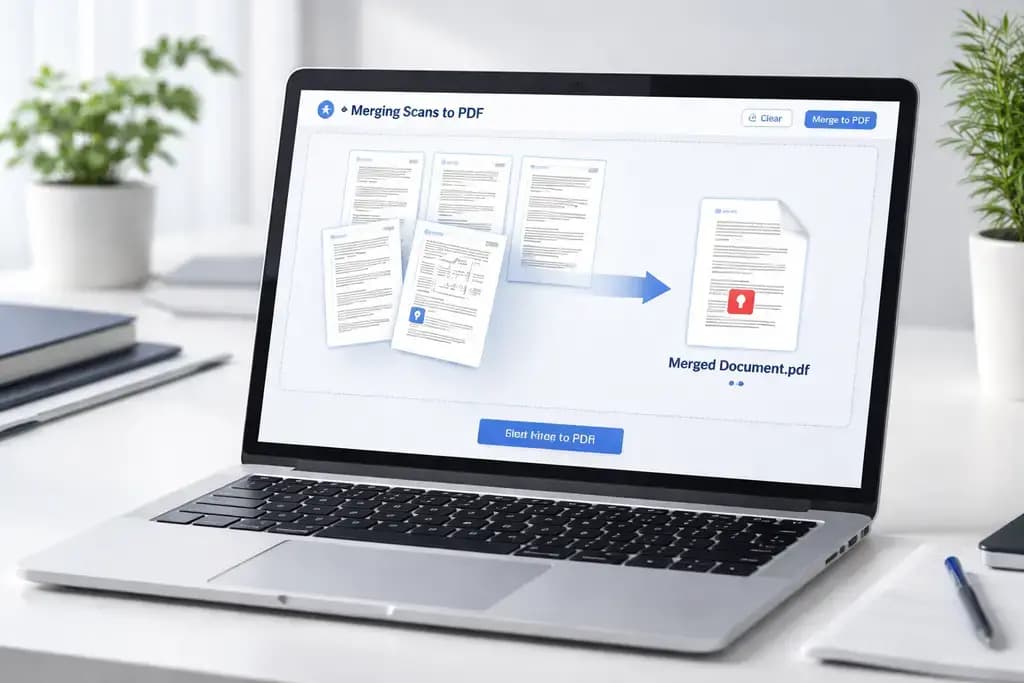
Using our Convert Image technology, your computer's local CPU handles all the heavy lifting. The massive photo arrays are compressed, structured into a single stream, and exported as a clean PDF without a single kilobyte of data ever being transmitted onto the open internet.
3 Steps to Clean Up Your Digital Paperwork
Organizing your expense reports out of massive image files takes only seconds using offline tools:
- Open your web browser securely and navigate to our specialized offline image processing utilities.
- Drag and drop all your massive receipt and document JPGs simultaneously into the interface. Because there is absolutely no network upload, all twenty images load instantaneously.
- Select your output format, and your local processor mathematically weaves the images together, outputting a flawlessly structured, singular file right back to your desktop.
Once combined, you can seamlessly run this new file through our Compress PDF tool to further shrink the structural data, guaranteeing it slips perfectly beneath any corporate email attachment limits.
Frequently Asked Questions
Why should I convert my JPG document photos into a PDF? A PDF (Portable Document Format) is universally recognized. It securely embeds multiple pages into one single file, preventing images from getting disorganized or lost during email transit, and presents a much more professional image to external clients.
Is it safe to merge confidential documents using an online tool? It is highly unsafe if the tool relies on server uploads. Transmitting photos of financial numbers or legal signatures to third-party cloud servers exposes your company to severe data leaks. You must use offline, client-side tools to ensure privacy.
Will combining photos into a PDF drastically reduce the file size? A PDF wrapper is naturally more efficient than loose images, but true suppression requires local compression. Use offline tools to downsample the DPI and convert the massive color arrays into lightweight structural data.
Can I convert JPGs to PDF offline without downloading heavy software? Yes. Modern web tools built on WebAssembly (WASM) allow your browser to utilize your computer's native CPU. It downloads the engine temporarily, preventing you from installing risky software, while still bypassing dangerous cloud uploads.
Streamline Your Document Workflow Today
Stop bombarding your clients with disorganized attachments and stop gambling with your financial security on external cloud servers. Experience the lightning-fast, highly secure capability of local browser processing. Instantly organize your workflow natively using our completely free Image Converter technology right now.