Why Uploading PDFs Can Be Risky: The Hidden Dangers of Cloud Tools
It is a scenario that plays out millions of times every day: an employee needs to merge two confidential business contracts, or a patient needs to compress their medical records to fit an email attachment limit. They quickly Google "free PDF merger," click the first result, and upload their highly sensitive files without a second thought.
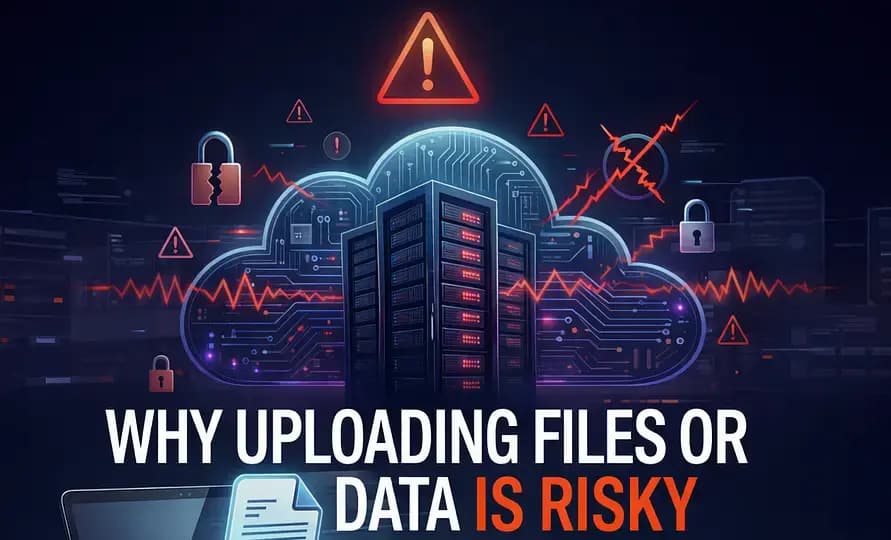
This routine action represents one of the most widespread, yet least discussed, cybersecurity vulnerabilities in the modern workforce. If you have ever wondered why uploading PDFs can be risky, you need to understand exactly what happens to a file once it leaves your browser.
The Journey of an Uploaded PDF
When you use a traditional online PDF tool, the process isn’t magic—it’s just somebody else's computer. Here is the lifecycle of your document when you hit the "Upload" button:
- Transmission: The file is sent over the internet from your local network to the service provider's data center.
- Ingestion & Processing: The file is received, temporarily stored on a server, and processed by backend software to perform the desired action (e.g., merging, compressing, or converting).
- Output Storage: The newly created file is stored on the server so you can download it via the provided link.
- Deletion (Hopefully): The provider runs automated scripts designed to delete your files from their servers after a set period, typically 1 to 24 hours.
Every single step in this chain—from transmission to temporary storage—represents a vector for potential data exposure.
The Hidden Dangers
1. "The Window of Vulnerability"
Most reputable cloud providers promise to delete your files within a few hours. However, during those hours, your highly sensitive data is sitting on a server you do not control. If that server is compromised by a malicious actor during that specific window, your document is compromised. A promise to delete data later does not protect data from being stolen now.
2. The "Shadow IT" Problem
In corporate environments, IT departments spend millions securing internal networks and enforcing data loss prevention (DLP) protocols. Yet, an employee uploading an NDA to a random, unvetted PDF website instantly bypasses all those protections. This is a classic example of "Shadow IT." When employees don't have secure, easy-to-use local tools, they turn to risky cloud conveniences, opening the company up to massive compliance violations (GDPR, CCPA, HIPAA).
3. Data Harvesting from "Free" Tools
While premium tools usually respect privacy policies, the internet is flooded with completely free, anonymous document tools. Running servers capable of processing millions of PDFs is incredibly expensive. If a tool is completely free and lacks clear monetization (like premium subscriptions or transparent advertising), there is a significant risk that they are data mining. They could be scraping uploaded resumes, financial statements, and contracts for sellable data, or feeding PII into AI training models without your explicit consent.
4. Metadata Exposure
Even if a hacker doesn't read the content of the PDF, the metadata embedded within it—author names, exact timestamps, software versions, and network paths—can be highly valuable for social engineering attacks or corporate espionage. Uploading files blindly exposes this metadata to third parties.
The Solution: Local-First Processing
Understanding exactly why uploading PDFs can be risky inevitably leads to a single, logical solution: stop uploading them entirely.
The safest way to process a document is to ensure it never leaves your device. This is the philosophy behind Local-First Document Processing. By leveraging modern browser capabilities like WebAssembly (WASM), platforms like NoMoreUploads execute complex PDF manipulations entirely within your local browser environment.
| Risk Factor | Cloud-Based Tools | Local-First (NoMoreUploads) |
|---|---|---|
| Data Interception in Transit | Possible (Despite HTTPS) | Impossible (No Transfer) |
| Server-Side Breach | Vulnerable during temp storage | Impossible (No Server Storage) |
| Corporate Policy Violation | High Risk (Shadow IT) | Zero Risk (Data stays on endpoint) |
Conclusion
The internet is an inherently public space, and your private documents don't belong there. The convenience of a slick online converter is never worth the risk of a catastrophic data leak. By recognizing the dangers of cloud processing and adopting local-first browser utilities, you can protect your privacy, maintain compliance, and keep your sensitive data exactly where it belongs: with you.
Experience zero-risk document management. Try our 100% local PDF tools today.
The Risk-Free Alternative
Eliminate the risk of data interception entirely. NoMoreUploads is engineered as an offline pdf converter running inside your browser. Because it is a true pdf converter without server interaction, your sensitive information is mathematically safe from leaks.