How to Convert PDF to Word for Free
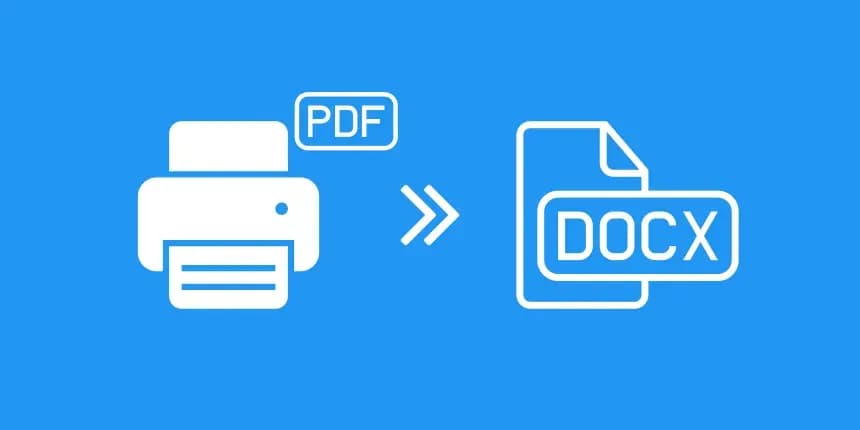
How to Convert PDF to Word for Free: Unlocking Static Documents
PDFs are universally loved because they lock everything in place: formatting, fonts, layouts, and images. They are the digital version of printed paper. But what happens when you find a crucial typo on page four of a finalized contract? Or what if a client sends you a complex, 50-page RFP document that you need to fill out, but it is locked in a static format? Unless you have the original source file, you are stuck. You must learn how to convert PDF to Word for free to regain control of your content.
In this guide, we will explore the technology behind document reconstruction, why retyping is obsolete, and how to safely unlock your PDFs without risking your privacy by uploading them to public cloud servers.
The Nightmare of the "Lost Source File"
We've all been there: you open an old archived resume or a legacy corporate brochure, only to realize the original Microsoft Word document was lost years ago during a server migration. All you have is the final PDF. Without expensive desktop software like Adobe Acrobat Pro, changing a single date or updating a logo seems impossible.
You cannot simply highlight a paragraph in a PDF and press "Delete." Attempting to copy and paste text from a PDF into a blank Word document usually results in disastrous, choppy formatting, broken line breaks, and missing bullet points. This frustration is precisely why discovering a tool that teaches you how to convert PDF to Word for free is incredibly valuable. It turns a one-way street into a two-way street.
How Document Reconstruction Works
Converting a Word document to a PDF is relatively easy—it's like printing. Converting a PDF back to an editable Word document is like trying to unbake a cake. It requires sophisticated reconstruction technology.
1. Structural Analysis
A high-quality converter must act like a digital archaeologist. It analyzes the flat, visual data of the PDF. It looks at the spacing between lines to deduce what is a paragraph and what is a heading. It examines the alignment of text to reconstruct bulleted lists and tables.
2. Font and Image Recovery
The engine attempts to match the embedded vectors with standard system fonts (like Arial, Times New Roman, or Calibri), extracting the text layer into fluid, editable paragraphs. It also pulls embedded logos and photos, placing them in their relative positions within the new document flow.
3. The Output
The final result is a fluid, flowing Microsoft Word (.docx) document where you can backspace, type new sentences, and apply new styles just as if you had drafted it from scratch today.
The Privacy Danger of Free Online Tools
If you search for how to convert PDF to Word for free, Google will provide thousands of hits. Almost all of them require you to upload your locked PDF to their servers. Think about the documents you typically need to edit: old contracts, resumes containing your home address, or proprietary business plans.
Uploading these files to a random server is a massive security risk. You are handing over your PII (Personally Identifiable Information) to third parties. This is where NoMoreUploads is fundamentally different. Our platform uses WebAssembly (WASM) to run the complex reconstruction engine locally inside your web browser. When you convert PDF to Word for free using our tool, your sensitive document never travels across the internet, ensuring 100% data privacy.
Step-by-Step Guide: Unlocking Your PDFs
Reclaiming your editable text is fast and completely secure. Here is how to do it:
- Open the Secure Converter: Navigate to the PDF to Word tool on the NoMoreUploads website.
- Load Your Locked Document: Drag and drop your static PDF into the browser. Remember, there is no server upload, so even large, text-heavy manuals load in milliseconds.
- Automated Reconstruction: Click convert. The local WASM engine will instantly tear down the static visual layer, rebuilding the paragraphs, lists, and headings into a fluid format.
- Download Your .docx File: Once the process finishes locally, a fully editable Microsoft Word document is generated in your downloads folder.
- Edit Freely: Open the new file in Word or Google Docs. You can easily fix that typo, update that date, or overhaul the entire layout.
Conclusion
A lost source file shouldn't mean starting from scratch. By understanding the technology and knowing how to convert PDF to Word for free securely, you can resurrect old documents and fix errors instantly. Stop retyping and stop uploading your sensitive data to the cloud.
Unlock your static documents today with the NoMoreUploads secure, local-first conversion tool.